JSON based Mobile test automation framework
A mobile test automation framework that streamlines repetitive testing using simple JSON inputs, with features like Teams notifications for test failures, and batch processing with comprehensive reporting.
- Python
- Appium
- JSON
- Microsoft Teams API
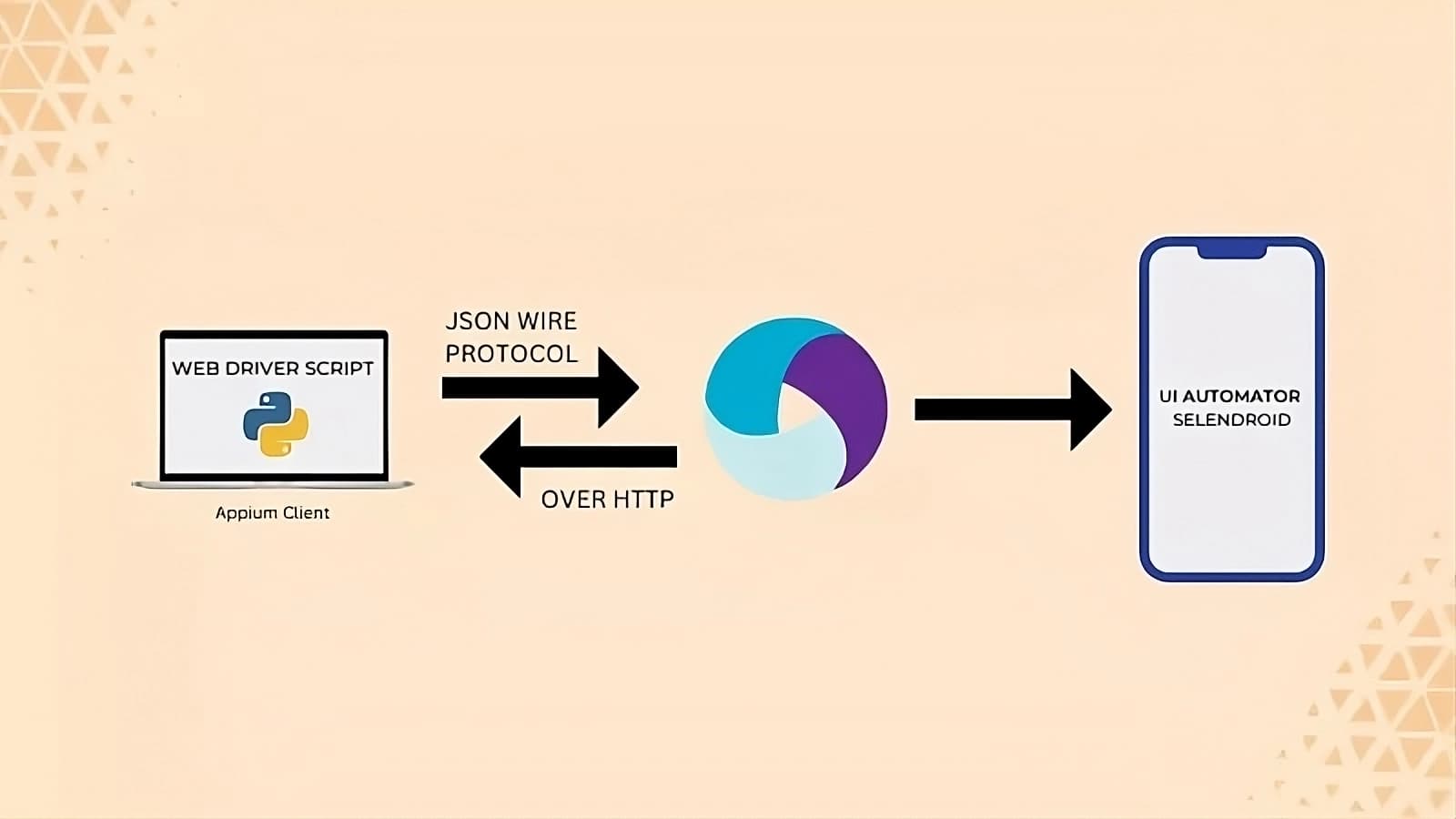
Mobile Test Automation Framework – Automating Repetitive Testing with Batch Processing
Overview#
Running repetitive unit tests multiple times a day is common in software testing teams, but it is often time-consuming and inefficient when done manually. This Mobile Test Automation Framework was built to automate these tests, ensuring they can be executed 24/7 without manual intervention.
The framework is designed to be user-friendly, requiring no knowledge of Python or Appium from testers. Instead, they provide simple JSON inputs to define test actions, such as verifying if a component is visible, clicking a button, or executing a complete login flow.
Additionally, this framework processes multiple test cases in batch mode by reading all JSON files from a designated directory and executing them sequentially. It also generates a detailed test report text file, logs all success and failure cases, and automatically captures screenshots for failed tests, sending them as Microsoft Teams notifications to alert testers in real time.
Key Features#
- Batch processing: Reads multiple JSON test files from a directory and executes them sequentially.
- User-friendly JSON input: Testers define test actions in JSON format without coding.
- Automated test execution: Executes tests on mobile devices (headspin) or local simulators.
- Screenshot capture on failure: Stores images for debugging failed test cases.
- Real-time Microsoft Teams notifications: Alerts testers with failure reports and screenshots.
- Automated test reports: Generates a text file summarizing all test executions, listing success and failure cases.
Sample JSON Input#
Below is an example of how testers define a login flow using JSON:
{
  "testName": "Login Flow",
  "steps": [
    {
      "component": "usernameField",
      "action": "input",
      "value": "testuser@example.com"
    },
    {
      "component": "passwordField",
      "action": "input",
      "value": "securePassword123"
    },
    {
      "component": "loginButton",
      "action": "click"
    },
    {
      "component": "dashboard",
      "action": "checkVisibility"
    }
  ]
}
This JSON input defines a sequence of actions that the framework reads, processes, and executes using Python and Appium.
Architecture#
The framework is structured for scalability and automation. Below is a high-level architecture diagram outlining the core components:
+------------------------------------------------+
| Mobile Test Automation Framework               |
+------------------------------------------------+
                 |
                 | Reads JSON inputs from directory (batch processing)
                 v
+------------------------------------------------+
|        Test Orchestrator (Python + Appium)     |
| - Reads JSON and executes actions sequentially |
| - Automates mobile interactions               |
+------------------------------------------------+
                 |
    +------------+------------+
    |                         |
    v                         v
+----------------------+   +----------------------+
| Mobile Device        |   | Local Simulator      |
| (Headspin Device)    |   | (For Demonstration)  |
+----------------------+   +----------------------+
                 |
    +------------+------------+
    |                         |
    v                         v
+----------------------+   +----------------------+
| Screenshot Capture   |   | Test Report Generator|
| (On Test Failure)    |   | - Logs all test runs |
|                      |   | - Success/Failures  |
+----------------------+   +----------------------+
                 |
                 v
+------------------------------------------------+
| Microsoft Teams Notification API               |
| - Sends failure reports & screenshots          |
| - Alerts testers in real time                  |
+------------------------------------------------+
How It Works#
Batch Processing#
- The framework scans a designated directory for JSON test files.
- It reads and processes each file sequentially, executing one test case after another.
Test Execution#
- The Test Orchestrator interprets JSON inputs and maps actions to Appium commands.
- Tests are executed on either a Headspin device or a local simulator.
Failure Handling & Screenshot Capture#
- If a test case fails, the framework captures a screenshot for debugging.
- The screenshot is saved locally and linked to the test report.
Test Report Generation#
After all tests have run, the framework creates a text file summarizing:
- Total tests executed
- Number of passed and failed tests
- Details of each test step
Microsoft Teams Notification#
- If a test fails, the framework sends a real-time notification to a designated Teams channel.
- The message includes:
- Test name
- Failure details
- A screenshot of the failed step
Tech Stack#
- Python – Orchestrates the test execution process.
- Appium – Automates interactions with mobile applications.
- JSON – Defines test cases in a structured, readable format.
- Microsoft Teams API – Sends test failure notifications.
- Headspin & Simulators – Devices where tests are executed.
Challenges and Future Enhancements#
Challenges Addressed#
- Reducing manual testing effort: Automating repetitive unit tests.
- Ensuring ease of use for testers: JSON input eliminates the need for programming knowledge.
- Minimizing test execution failures: Capturing screenshots and sending real-time alerts.
- Generating detailed reports: Logging all success/failure cases for tracking.
Feature ideas#
Enhanced Batch Processing#
- Improve execution parallelization to speed up test runs.
- Provide custom execution ordering for different priority test cases.
MFA Automation#
- Remove the need for manual input during multi-factor authentication (MFA) steps.
Additional Notification Integrations#
- Expand alert system to support email and Slack notifications.
- Generate failure reports with log files and screenshots attached.
Final Thoughts#
This Mobile Test Automation Framework has significantly improved the efficiency of repetitive mobile testing. By automating the test execution process, batch processing multiple test cases, capturing screenshots, and sending real-time alerts, it ensures that test failures are quickly identified and addressed.
The framework is designed to be scalable and extensible, with future updates planned for parallel execution, MFA automation, and advanced reporting.
Loading comments…